Your scam-checking companion

Not sure it's genuine?
Check it first.

Suspicious text, unexpected email or worrying letter? HeyREMVA highlights potential scam and phishing warning signs, explains what they mean and suggests safer next steps.

Available now on the App Store for iPhone

HeyREMVA app icon

Check before you trust.

A straightforward way to look more closely at unexpected messages.

๐Ÿ“‹

1. Add the message

Paste the text, choose a screenshot or photograph the suspicious message or letter.

๐Ÿ”

2. Review the analysis

HeyREMVA looks for common warning signs, identifies the claimed sender and explains what may be concerning.

๐Ÿ›ก๏ธ

3. Decide safely

See a guidance-level risk assessment and suggested next steps. Always verify important requests independently.
Clarity when a message feels wrong.

Built to help you make an informed decision, not to replace your judgement.

๐Ÿ“จ

Texts, emails and letters

Check suspicious messages received in different formats.

๐ŸŒ

Language help

Detect foreign-language content and receive an English translation.

๐Ÿšฉ

Risk indicators

Understand low concern, suspicious and high-risk guidance levels.

๐Ÿ›๏ธ

Official website guidance

Where available, find a known organisation's official website using trusted addresses stored in the app.

๐Ÿงพ

Plain-English explanations

Understand why a message might be suspicious and what to look out for.

๐Ÿ”

Privacy information

Review how submitted text is processed and the third-party services involved.

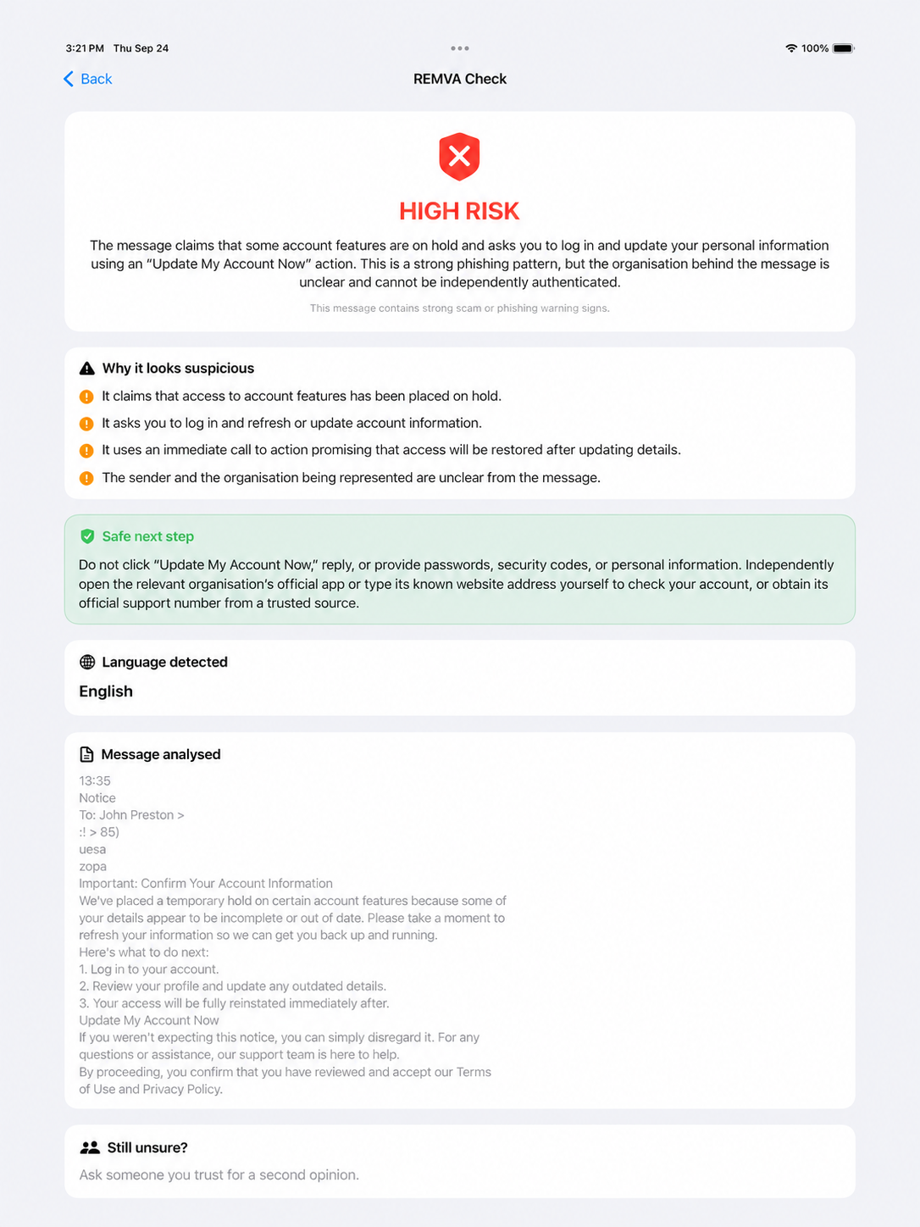
See what HeyREMVA looks for.

Results are designed to make the warning signs easier to understand and help you decide what to verify.

Illustrative app screenshot; risk assessments are guidance, not proof of fraud.

Example HeyREMVA message risk analysis

HeyREMVA for iPhone

HeyREMVA is now available to download for iPhone on the App Store.

Download on the App Store โ†’